Sharing & exporting
Send a session to your group with one tap, or download it as an image to print.
Share a session
Open a saved session and tap Share. GAA Pitch creates a link to a public, read-only page for that session and hands it to your share sheet — drop it straight into your WhatsApp group. The message unfurls with a preview of your pitch setup, and anyone who taps through sees the full session: pitch layout, outline, and coaching points. No account needed to view.
The link stays the same every time you share the same session, so earlier messages keep working. The page shows the session as it is now — edits you make after sharing are reflected when someone opens it. Sharing is free for everyone.
Download the sheet
Choose Download and pick a format. An image (PNG) suits anywhere a link doesn’t: a WhatsApp group, a saved photo on your phone, a quick print. A PDF is the tidier option for printing and filing, and is part of Coach.
What’s on the sheet
- Header — the session name, sport, age group, and length.
- Pitch layout — the diagram from your pitch setup, so players can see where each drill runs.
- Coaching points — the key points for each drill, ready to glance at pitch-side.
- Outline — every block in order with its duration, including your own free-text blocks.
- Video links — if a drill has a video link, a clickable Watch video link shows on the shared page. The downloaded image leaves it out (an image can’t hold a live link), so share the link when a video matters.
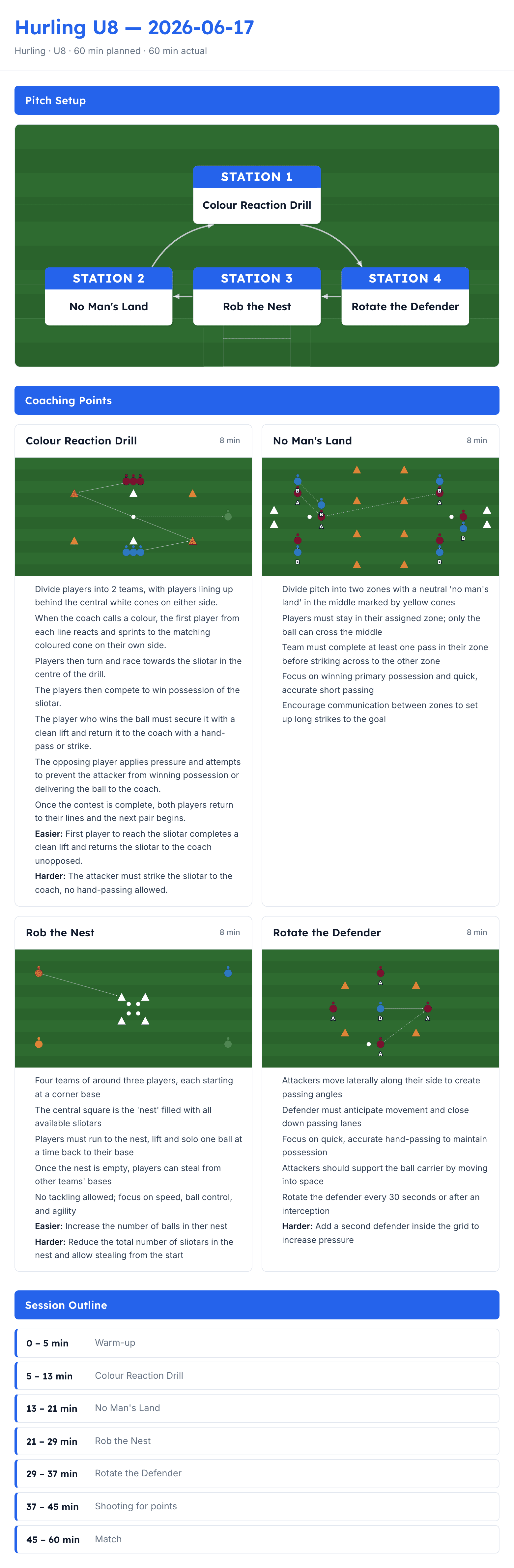
Printing
The sheet is laid out to print cleanly on A4. Download the image and print it, or print the page directly from your browser.
For a long session the PDF is the better route: it splits across pages without cutting through a drill card or an outline row, and keeps each heading with the drills beneath it.
The footer
Downloaded sheets and shared pages carry a small “Generated by gaapitch.com” footer. It’s tasteful, stays out of the way of the pitch, and makes clear the sheet came from GAA Pitch.
With Coach
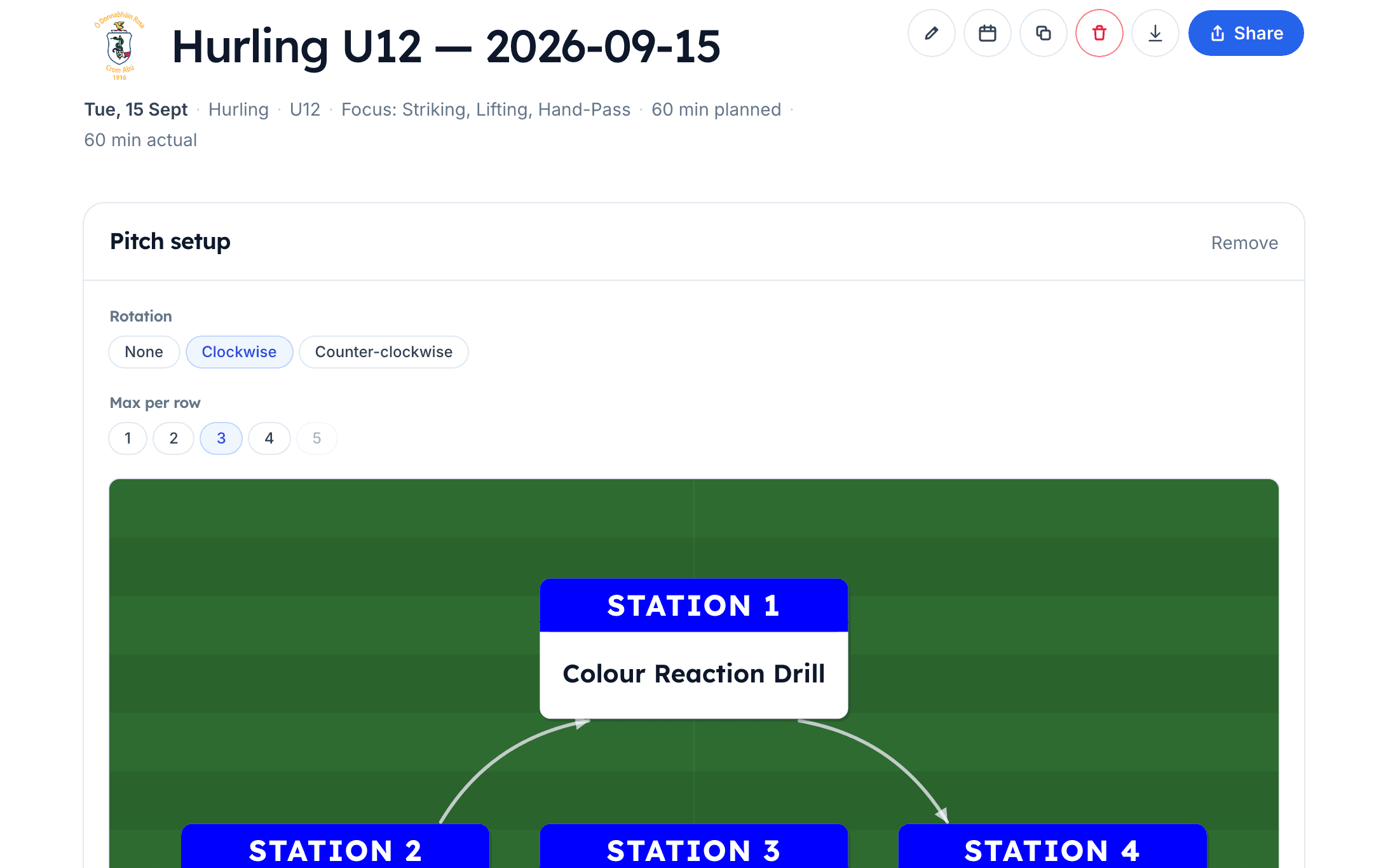
- Your club’s branding — the sheet and shared page carry your club crest and colours instead of the plain header.
- PDF export — download the session as a PDF, alongside the image, for tidy printing and filing. A session too long for one page splits across several without slicing through a drill.
See pricing for what’s included.